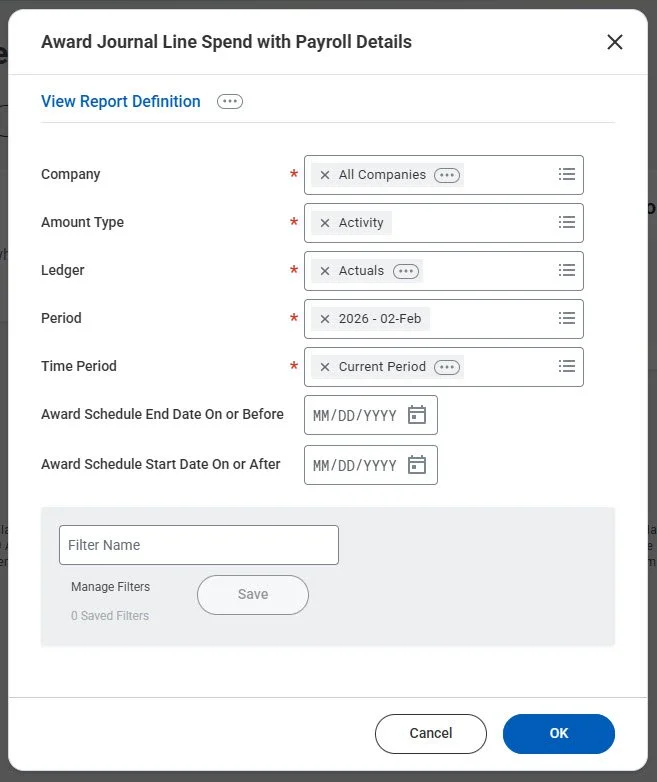
Award Journal Line Spend with Payroll Details
In Release 2025R2, Workday introduced the new Award Journal Line Spend with Payroll Details report, giving users visibility into worker and payroll information tied to award spend journal lines without requiring Payroll reporting access. This enhancement allows Grant Managers, PIs, and other award stakeholders to see who is being charged to their grants based on their role on the award, improving transparency and reducing dependency on cross‑functional teams.
Business Benefits
This feature empowers report runners to monitor award spending more effectively by surfacing worker‑level payroll details directly within Grants reporting. The result is improved oversight, streamlined workflows, and a more intuitive user experience for teams managing sponsored research and internal awards.
Why This Matters
- Reduces back‑and‑forth between Grants and Payroll
- Supports compliance by making salary charges more visible
- Helps PIs and departments validate spending more quickly
What Do You Need to Do?
To enable a user with an award or grant role to view payroll details on the report:
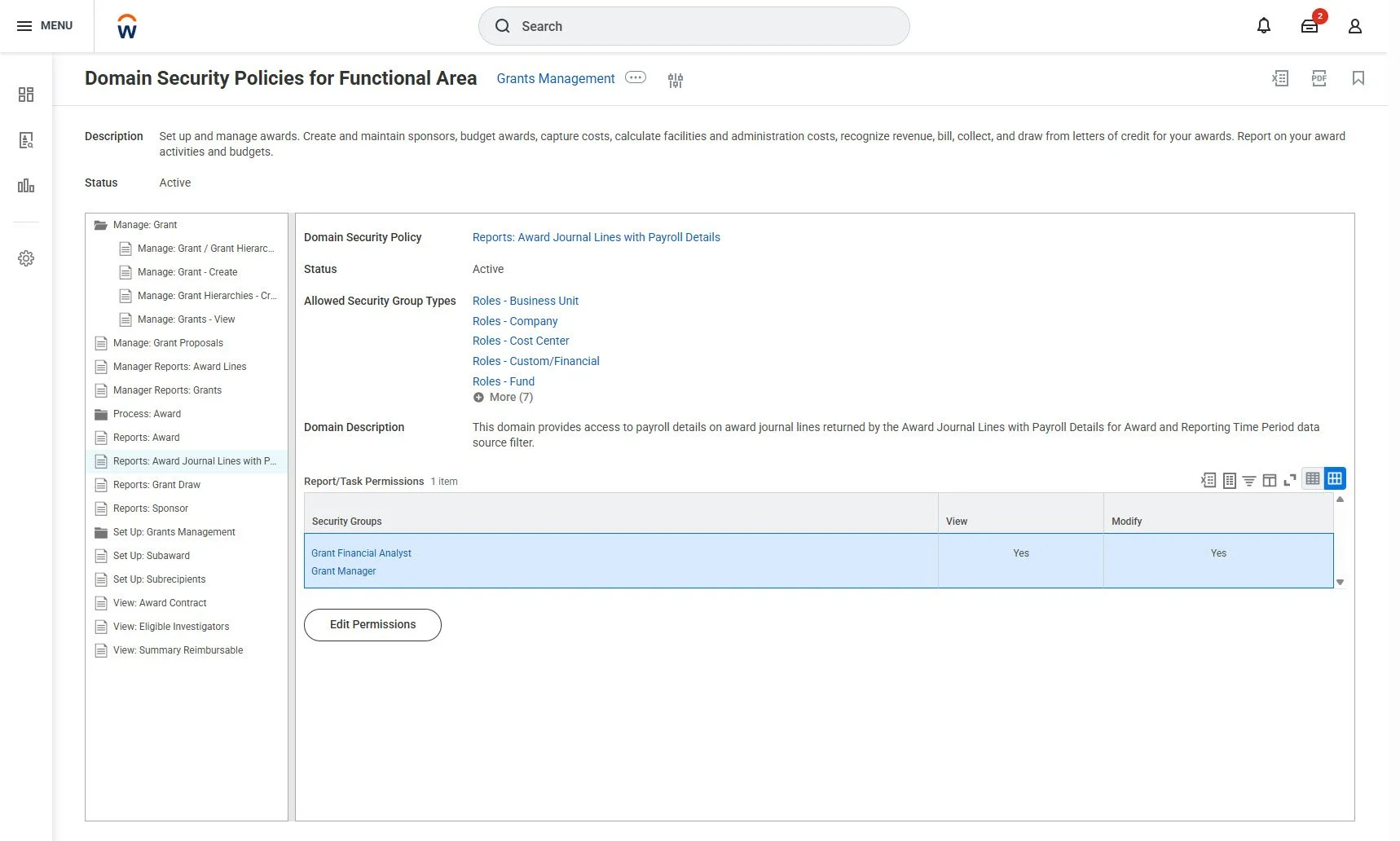
Enable the domain security policy and add one or more constrained role-based security group(s) to the new Reports: Award Journal Lines with Payroll Details domain.
For example, add Grant Manager and Grant Financial Analyst security groups
To further enable the user to view worker details on the payroll details journal lines:
Add an unconstrained role-based security group to the Worker Data: Position and Employee Worktag domain.
(Optional) Create a custom report by either:
Using the Journal Lines for Financial Reporting RDS and the new Award Journal Lines with Payroll Details for Award and Reporting Time Period data source filter.
Copying the new Award Journal Line Spend with Payroll Details report.
To view payroll details charged to a grant or an award, users can run the custom report or the new Award Journal Line Spend with Payroll Details report when they have access to 1 of these domains:
Manager Reports: Award Lines
Manager Reports: Grants
Reports: Award
Tip: Search for “dom fun” in Workday to find the Domain Security Policies for Functional Area for Grants Management. From there you can access and make changes to many of the security policies mentioned above.
If your organization needs support configuring this feature or aligning it with your Grants and Financials processes, Innovative Path Consulting is here to help. As experienced leaders in Workday Grants implementation, we help organizations translate Workday features into meaningful, sustainable improvements. Contact us today!